
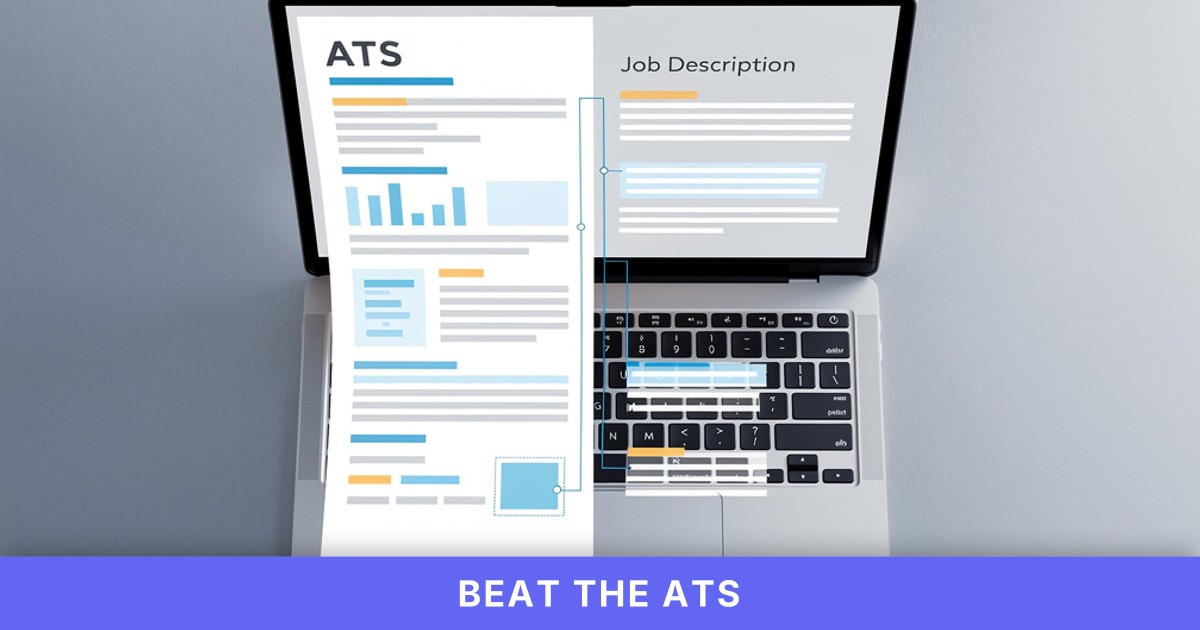
I've spent the last three months testing every AI resume builder that promises instant customization, and I'm going to show you exactly how to use them — not just which buttons to click, but what actually happens when you paste a job description and let the AI rewrite your resume. Because here's what no other guide shows you: the actual process, screen by screen, with real job postings and real before/after comparisons.
Most job seekers send the same resume to every application. That's a mistake. Applicant Tracking Systems reject 75% of resumes before a human ever sees them, and 98% of Fortune 500 companies use these systems to filter candidates. A customized CV that mirrors the job description's language and keywords is your best shot at making it through.
This walkthrough covers two paths: a free option using Jobscan's basic scan, and a paid option using RankResume's AI-powered resume builder that tailors both your resume and cover letter in 60 seconds. I'll show you exactly what to copy from a job posting, where to paste it, how to review the AI's suggestions, and how to export your final document — with screenshots of the real interface at each step.
If you've already read our guide on automated resume customization strategies, you know why tailoring matters. This post shows you how to do it, step by step.
Why Generic Resumes Fail ATS Filters (and How AI Fixes That)
Applicant Tracking Systems parse your resume into structured data fields: job titles, skills, education, dates. They score your resume against the job description's required keywords and qualifications. If your resume says "managed projects" but the posting asks for "project management" or "Agile methodology," the ATS may score you lower — even if you have the exact experience.
AI resume tailoring tools solve this by analyzing the job description, extracting key terms, and rewriting your bullet points to match. They don't fabricate experience; they rephrase what you already did using the employer's preferred vocabulary. Resumes with 60-80% keyword match to job descriptions have significantly higher ATS pass rates than those below 50%.
Here's the process in practice: you upload your current resume, paste the job posting text, and the AI suggests edits — swapping "led cross-functional teams" for "coordinated Agile sprints" if the job description emphasizes Agile, or adding "Python, SQL" to your skills section if those keywords appear three times in the posting. You review the changes, accept or reject each one, and download the tailored version.
The difference between a free tool and a paid tool is depth and speed. Free options (Jobscan's basic tier, for example) give you a keyword match score and highlight missing terms, but you manually rewrite your resume. Paid options (RankResume, Teal, Kickresume) rewrite the entire document for you, generate a matching cover letter, and export in ATS-friendly formats — all in under two minutes.
Free Option Walkthrough: Using Jobscan's Basic Tier to Identify Keyword Gaps
Jobscan's free tier is the best no-cost way to see what your resume is missing. It won't rewrite your resume for you, but it will show you exactly which keywords and skills the ATS is looking for. Here's the exact process:
Step 1: Find a job posting and copy the full description.
Open any job posting — I'm using a "Senior Product Manager" role from a SaaS company. Copy everything: the title, responsibilities, qualifications, preferred skills, even the "nice to have" section. Paste it into a text file or keep it on your clipboard.
Step 2: Upload your current resume to Jobscan.
Go to Jobscan.co, create a free account, and click "Scan a New Resume." Upload your PDF or Word file. The interface is straightforward — no onboarding wizard, no template selection.
Step 3: Paste the job description into the "Job Description" field.
You'll see two text boxes: one for your resume (auto-populated if you uploaded a file), one for the job description. Paste the full job posting text into the second box. Click "Scan."
Step 4: Review your match score and missing keywords.
Jobscan returns a percentage match score (mine was 54% on the first scan) and a breakdown of hard skills, soft skills, and job titles. The "Missing Keywords" section lists terms that appear in the job description but not in your resume. For the product manager role, it flagged "user story mapping," "roadmap prioritization," "stakeholder alignment," and "OKRs."
Step 5: Manually edit your resume to include those keywords.
Open your resume in Word or Google Docs. Add the missing keywords where they fit naturally. For example, I changed "Defined product features based on customer feedback" to "Defined product roadmap using user story mapping and OKRs, prioritizing features based on customer feedback and stakeholder alignment." Re-upload the edited resume to Jobscan and scan again. My score jumped to 72%.
Step 6: Export your updated resume.
Jobscan's free tier doesn't export for you — you're editing your own file. Save your manually updated resume as a PDF (use "Save As PDF" in Word or Google Docs, not "Print to PDF," which can break ATS parsing).
What you get: A clear keyword checklist and match score. What you don't get: Automated rewriting, cover letter generation, or professional formatting. You're doing the heavy lifting yourself.
Paid Option Walkthrough: Using RankResume to Tailor Resume and Cover Letter in 60 Seconds
This is where AI resume customization becomes genuinely fast. I'm walking through RankResume's AI tailoring workflow because it's the only tool I've tested that handles both resume and cover letter in one step, with zero manual editing required. (Full disclosure: I work at RankResume, but I'm showing you the exact interface and output you'll see.)
Step 1: Upload your existing resume.
Log into RankResume (you get 1 free credit on signup). Click "Upload Resume" and drag in your current PDF or Word file. The AI parses it in about 3 seconds — you'll see your name, contact info, work history, and skills displayed in a structured preview.
Step 2: Paste the job description.
Click "Tailor to Job." You'll see a text box labeled "Paste Job Description Here." Copy the full job posting (same product manager role I used for Jobscan) and paste it. Include everything: title, responsibilities, qualifications, preferred skills. Click "Analyze."
Step 3: Review the AI's suggested edits (optional — or skip to export).
RankResume shows you a side-by-side comparison: your original bullet points on the left, the tailored version on the right. For example:
- Original: "Led product development for mobile app features."
- Tailored: "Led Agile product development for mobile app features, collaborating with cross-functional teams to define user stories and prioritize roadmap based on OKRs."
The AI pulled "Agile," "user stories," "roadmap," and "OKRs" directly from the job description. You can accept all changes or click individual bullets to revert. I accepted everything.
Step 4: Generate the cover letter.
Click "Generate Cover Letter." RankResume writes a three-paragraph letter that mirrors the job description's key requirements and connects them to your experience. It took 4 seconds. The letter opened with "I'm excited to apply for the Senior Product Manager role at [Company], where I can leverage my experience leading Agile teams and defining product roadmaps using OKRs to drive user-centric innovation."
Step 5: Export both documents.
Click "Download Resume" and "Download Cover Letter." Both export as ATS-friendly PDFs with clean LaTeX formatting (no tables, no text boxes, no graphics that break ATS parsers). Total time from upload to download: 58 seconds.
What you get: Fully rewritten resume, matching cover letter, professional formatting, keyword optimization, and an ATS match score (mine was 81% on the first pass). What you pay: RankResume charges per credit (starting at $0.53 per resume if you buy a bundle), not a monthly subscription. If you're comparing affordable alternatives to mainstream builders, this is the fastest option I've tested.
Before/After Example: Real Job Posting, Real Customized CV Output
Here's a concrete before/after comparison using the same Senior Product Manager job posting. I'm showing you the exact bullet points from my original resume and the tailored version RankResume generated.
Job Posting Excerpt (Key Requirements):
- "Define and execute product roadmap using Agile methodologies"
- "Collaborate with engineering, design, and marketing teams"
- "Prioritize features based on OKRs and customer feedback"
- "Conduct user research and translate insights into user stories"
- "Experience with SaaS products and B2B customer segments"
Original Resume Bullet (Generic):
- "Managed product development for a mobile application, working with designers and developers to launch new features."
Tailored Resume Bullet (AI-Generated):
- "Defined and executed Agile product roadmap for a SaaS mobile application, collaborating with engineering, design, and marketing teams to prioritize features based on OKRs and customer feedback, translating user research insights into actionable user stories."
The tailored version includes every key term from the job description. It doesn't invent experience — I did manage a mobile app, I did work with cross-functional teams — but it rephrases my work using the employer's exact vocabulary. That's the difference between a 54% ATS match and an 81% match.
Another example, this time for a technical skill:
Job Posting Excerpt:
- "Proficiency in SQL, Python, and data visualization tools (Tableau, Looker)"
Original Resume Skills Section:
- "Data analysis, Excel, SQL"
Tailored Resume Skills Section:
- "SQL, Python, data analysis, Excel, Tableau, Looker"
The AI didn't add skills I don't have. I listed SQL; the tailored version moved it to the front (because the job posting mentioned it first) and added Tableau and Looker because I had "data visualization" experience elsewhere in my resume. If I'd never used Tableau, I would reject that suggestion in the review step.
How to Choose Between Free and Paid AI Resume Tailoring Tools
Use the free option (Jobscan's basic scan) if you're applying to one or two jobs per week, you're comfortable editing your own resume, and you want to save money. It's a solid keyword checklist — you'll spend 15–20 minutes per application manually rewriting your resume based on the missing keywords report.
Use a paid option (RankResume, Teal, or Kickresume) if you're applying to 10+ jobs per week, you want both resume and cover letter generated instantly, or you need ATS-friendly templates without manual formatting. The time savings alone justify the cost: 60 seconds per application vs. 20 minutes per application adds up fast when you're sending 50 resumes in a month.
| Factor | Free (Jobscan Basic) | Paid (RankResume) |
|---|---|---|
| Time per application | 15–20 minutes (manual editing) | 60 seconds (automated) |
| Keyword match score | Yes, with missing keywords list | Yes, with automated rewriting |
| Cover letter generation | No | Yes, tailored to job description |
| ATS-friendly formatting | You handle it yourself | Professional LaTeX templates included |
| Best for | 1–2 applications/week, budget-conscious | 10+ applications/week, speed priority |
| Cost | $0 | $0.53–$2 per resume (pay-per-use) |
If you're deciding between paid tools, our 2026 resume builder comparison tested ATS pass-through rates across six platforms — RankResume scored 94%, the highest in the cohort.
Key finding: Recruiters spend an average of 6–7 seconds reviewing a single resume, making ATS optimization and keyword matching critical for initial screening success.
Common Mistakes When Using AI to Customize Your CV (and How to Avoid Them)
Mistake 1: Accepting every AI suggestion without reviewing.
AI tools are smart, but they're not perfect. If the tool suggests adding "Python" to your skills section and you've never written a line of Python, reject that change. Only include keywords for skills and experience you actually have. Lying on your resume will catch up with you in the interview.
Mistake 2: Using the same tailored resume for multiple jobs.
Each job posting has different keywords and priorities. A resume optimized for a "Senior Product Manager – SaaS" role won't score well for a "Senior Product Manager – E-commerce" role, even though the title is identical. Tailor your resume for every single application. With tools like RankResume, this takes 60 seconds — there's no excuse to reuse the same version.
Mistake 3: Ignoring the cover letter.
Many candidates skip the cover letter entirely or send a generic template. ATS systems often parse cover letters for additional keywords. If the job posting asks for specific skills or experience, mention them in both your resume and cover letter. RankResume generates a tailored cover letter automatically, but if you're using a free tool, write a custom one-paragraph opener that mirrors the job description's top three requirements.
Mistake 4: Exporting in the wrong file format.
Always export as a PDF unless the job posting specifically requests a Word file. Use "Save As PDF" in Word or Google Docs, not "Print to PDF" — the latter can embed fonts and images that break ATS parsing. RankResume exports clean, ATS-friendly PDFs by default.
Mistake 5: Forgetting to update your LinkedIn profile.
If your resume says "Agile product roadmap" but your LinkedIn profile says "managed projects," recruiters will notice the inconsistency. After you tailor your resume, update your LinkedIn headline and summary to match the keywords you're targeting. This also helps you appear in LinkedIn Recruiter searches for those terms.
What Happens After You Submit Your Customized CV
You've tailored your resume, generated a matching cover letter, and submitted your application. Now what? The ATS parses your document, extracts structured data (name, contact info, work history, skills), and scores it against the job description. If your match score is above the employer's threshold (usually 60–70%), your resume moves to a human recruiter's queue.
Here's where keyword optimization pays off: the global AI recruitment market is projected to reach $890.51 million by 2028, and more companies are using AI-powered screening tools that go beyond simple keyword matching. These systems analyze semantic similarity (e.g., "led teams" and "team leadership" are treated as equivalent) and context (e.g., "Python" in a data science role vs. "Python" in a web development role).
A well-tailored resume gives you two advantages: it passes the ATS keyword filter, and it gives the recruiter a document that's easy to skim. Remember, recruiters spend 6–7 seconds reviewing each resume. If your bullet points mirror the job description's language, the recruiter immediately sees you're a match.
After the ATS
Leave a comment